About Document scan: Scan all
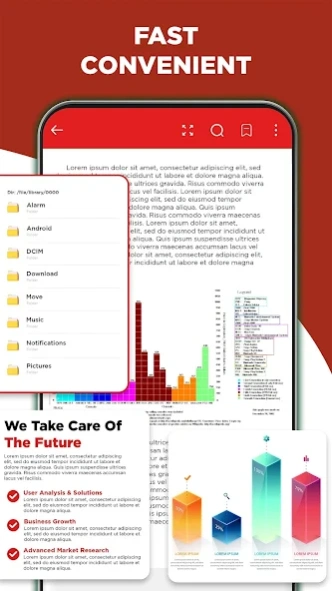
PDF Reader - PDF Viewer 2024: The perfect choice for Android! 🔥 Open, view, edit PDF and manage all PDF, WORD editor, EXCEL, DOCX, XLSX, PPTX, TXT files easily with this new free PDF expert. With smart features, P
PDF Reader - PDF Viewer 2024: The perfect choice for Android!
🔥 Open, view, edit PDF and manage all PDF, WORD editor, EXCEL, DOCX, XLSX, PPTX, TXT files easily with this new free PDF expert.
With smart features, PDF Reader - PDF Editor 2024 helps you add notes, bookmarks, merge, split, etc., and more supported easily and quickly. Moreover, this is also all document reader, bringing convenience to you.
⚡️ Professional PDF reader can automatically find and display all your PDF files, allowing to open and read files quickly on your phone. Not only a PDF opener and visualizer, PDF Reader - PDF Viewer 2024 is also a professional PDF editor and PDF manager. You can easily annotate, merge, and split PDF files for free.
📕
KEY FEATURES OF PDF READER
📖
PDF Reader, Ebook Viewer:
✔️ Quickly open PDF documents from the file manager
✔️ Open PDF files, view PDF files directly from other applications, read PDF files right on your mobile phone
✔️ Read comics offline easily
📝
Efficient PDF Editor
✔️ Annotate on PDF files conveniently
✔️ Mark the highlighted phrases
✔️ Draw on PDF files
✔️ Easily search and copy any text into PDF files
✔️ Add electronic signatures quickly
📔
Smart file management
✔️ Manage and organize your PDF files in a single place
✔️ Simple PDF file list, view PDF files
✔️ The application opens PDF documents for a smooth reading experience.
📂
Essential options PDF Reader
✔️ Integrated smart PDF scanner
✔️ Allows conversion between PDF files and Word, Excel, JPG, PNG, etc.
✔️ Find PDF files quickly
✔️ Offline PDF viewer: Read PDF files with easy operation
✔️ Reader with scrolling capabilities
✔️ Display mode: Book mode, full screen reading mode for PDF viewing
✔️ Navigate faster: Going to a specific page provides the most convenient experience
✔️ Bookmarks: Create bookmarks when visually navigating PDF files
🌟
More complete with ALL-IN-ONE office document reader:
✔️ Read all documents: PDF, WORD editor, EXCEL, DOCX, XLSX, PPTX, TXT files from internal, cloud and external storage easily
✔️ Professional PDF book and story opening tool
⚡️
Coming soon features: ⚡️
► Light/dark mode
► Compress PDF documents
► Add/remove pages of PDF files
...
👉 PDF Reader - PDF Viewer 2024 allows you to open PDF files, search and read documents on the go for free. All document reader supports additional features to provide a perfect PDF file reading experience.
We always want to bring the perfect applications to users. Don't hesitate to feedback your feelings when using our products. We hope you will give us feedback so we can improve and bring you the good experience! ❤️❤️❤️
Previous Versions
Here you can find the changelog of Document scan: Scan all since it was posted on our website on 2024-03-21 11:18:13.
The latest version is 1.3.6 and it was updated on 2026-10-10 02:14:06. See below the changes in each version.
Document scan: Scan all version 1.3.6
Updated At: 2024-04-01
Changes: PDF Reader update new version:
- Fix bug & optimize ads
Document scan: Scan all version 3.3.1
Updated At: 2024-03-27
Disclaimer
Official Google Play Link
We do not host Document scan: Scan all on our servers. We did not scan it for viruses, adware, spyware or other type of malware. This app is hosted by Google and passed their terms and conditions to be listed there. We recommend caution when installing it.
The Google Play link for Document scan: Scan all is provided to you by apps112.com without any warranties, representations or guarantees of any kind, so access it at your own risk.
If you have questions regarding this particular app contact the publisher directly. For questions about the functionalities of apps112.com contact us.